What’s new
August 2026
Fastest web-based 3D force graph
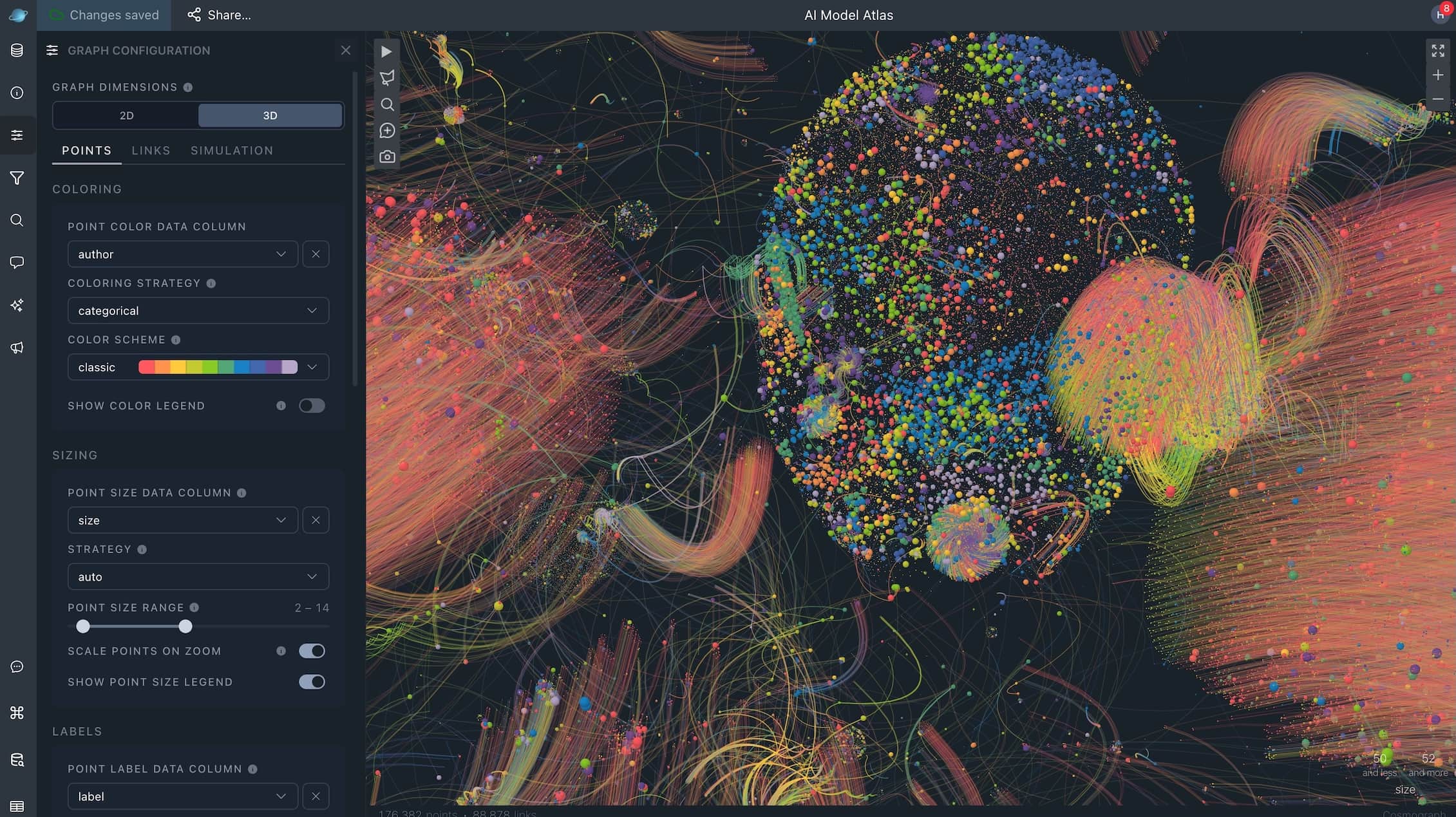
Cosmograph now runs GPU force simulation and rendering in 3D. Switch between a flat 2D view and a perspective 3D orbit camera without leaving the workspace — the same links, clusters, and styling keep working while the layout and camera move into three dimensions. Simulation and spatial structures run on the GPU in the same dimensionality as the view, so large graphs stay interactive where CPU-bound 3D libraries slow down or freeze.
- Toggle 2D / 3D under Graph dimensions in the configuration panel.
- Optionally map a Z position column for embeddings and other precomputed 3D layouts.
- Orbit the camera by dragging, dolly with the wheel or pinch, and pan with Shift/Space + drag.
- Compare Cosmograph with Sigma.js (2D) and react-force-graph-3d (3D) on the live benchmark.
For the library API, see 3D visualization. For the app workflow, see Getting started.
July 2026
This release turns Cosmograph into a fuller workspace for exploring data, saving projects, sharing results, and collaborating with others.
Cosmograph now has Free, Pro, and Team plans.
Free is for personal, educational, and other non-commercial use. Pro and Team include commercial use and are managed from the application’s Subscription page, where current pricing, availability, billing status, and plan actions are shown.
Pro adds unlimited saved projects, password-protected publishing, direct sharing with registered users, and higher Assistant access. Team adds bring-your-own-key settings for supported providers. See Plans for the complete comparison.
Teams and controlled sharing
Team builds on Pro with owned team workspaces. You can invite people, resend or revoke invitations, remove members, and manage access.
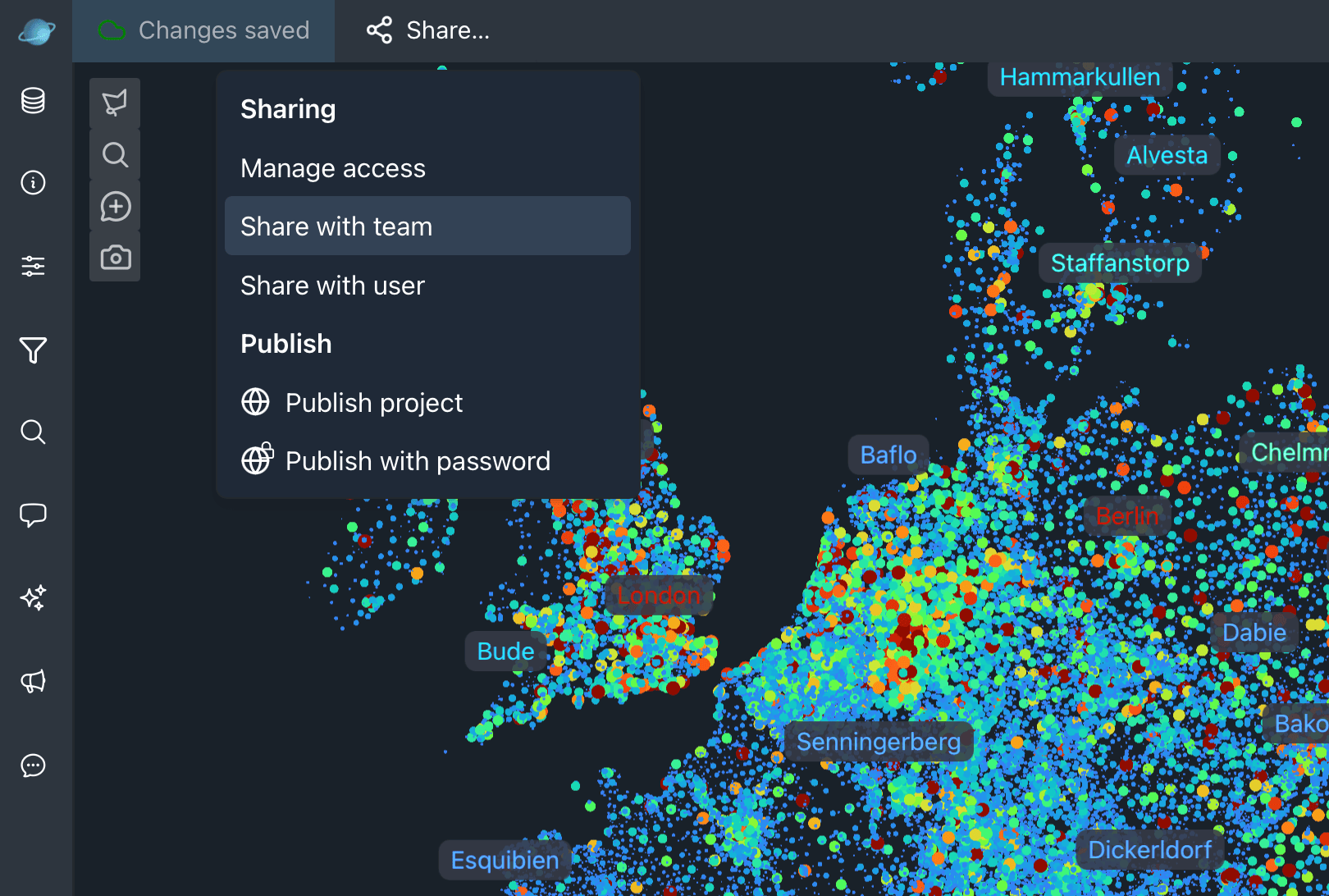
The project Share menu supports public publishing, password-protected publishing, direct user sharing, team sharing, and access revocation. Direct and team collaborators open the owner’s source project read-only, while still being able to participate in Discussions. Published projects can be updated by publishing again or removed with Unpublish.
Read Plans and Sharing for access rules, roles, seats, and billing behavior.
Discussions on the graph
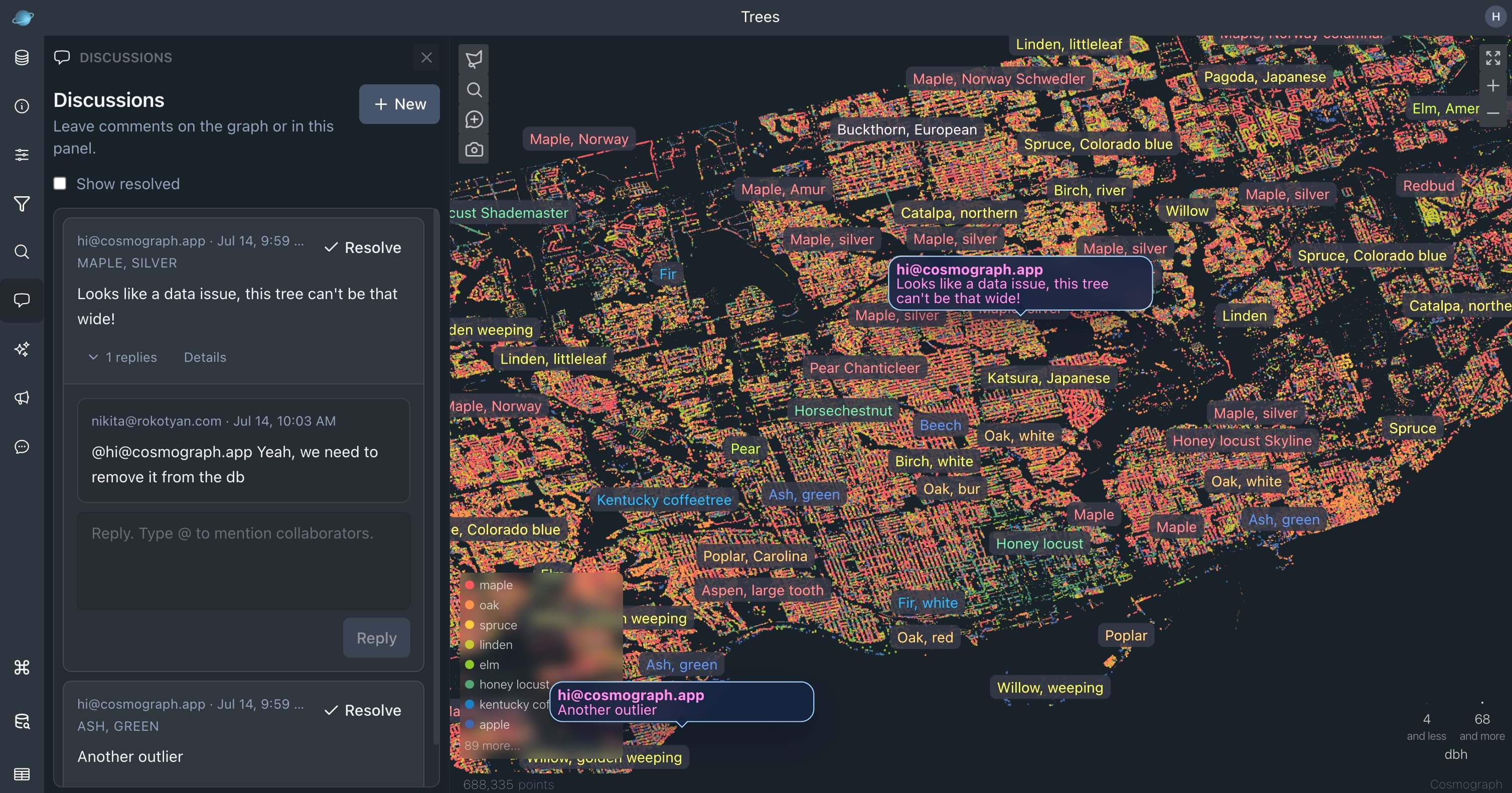
Discussions bring review and feedback directly into a project. Authenticated project collaborators can start a conversation in the panel, attach it to a point, or pin it to a graph position. Open discussions appear as anchors on the graph, so feedback stays connected to the place it refers to.
- Reply in a thread, edit or delete your own comments, and resolve or reopen discussions.
- Mention collaborators with
@and use unread and mention indicators to find follow-up work. - Open a discussion from its graph anchor, or select a point from a point-anchored discussion.
- See new messages and read status update in real time across open browser windows.
Read the Discussions guide for the full workflow.
AI Assistant
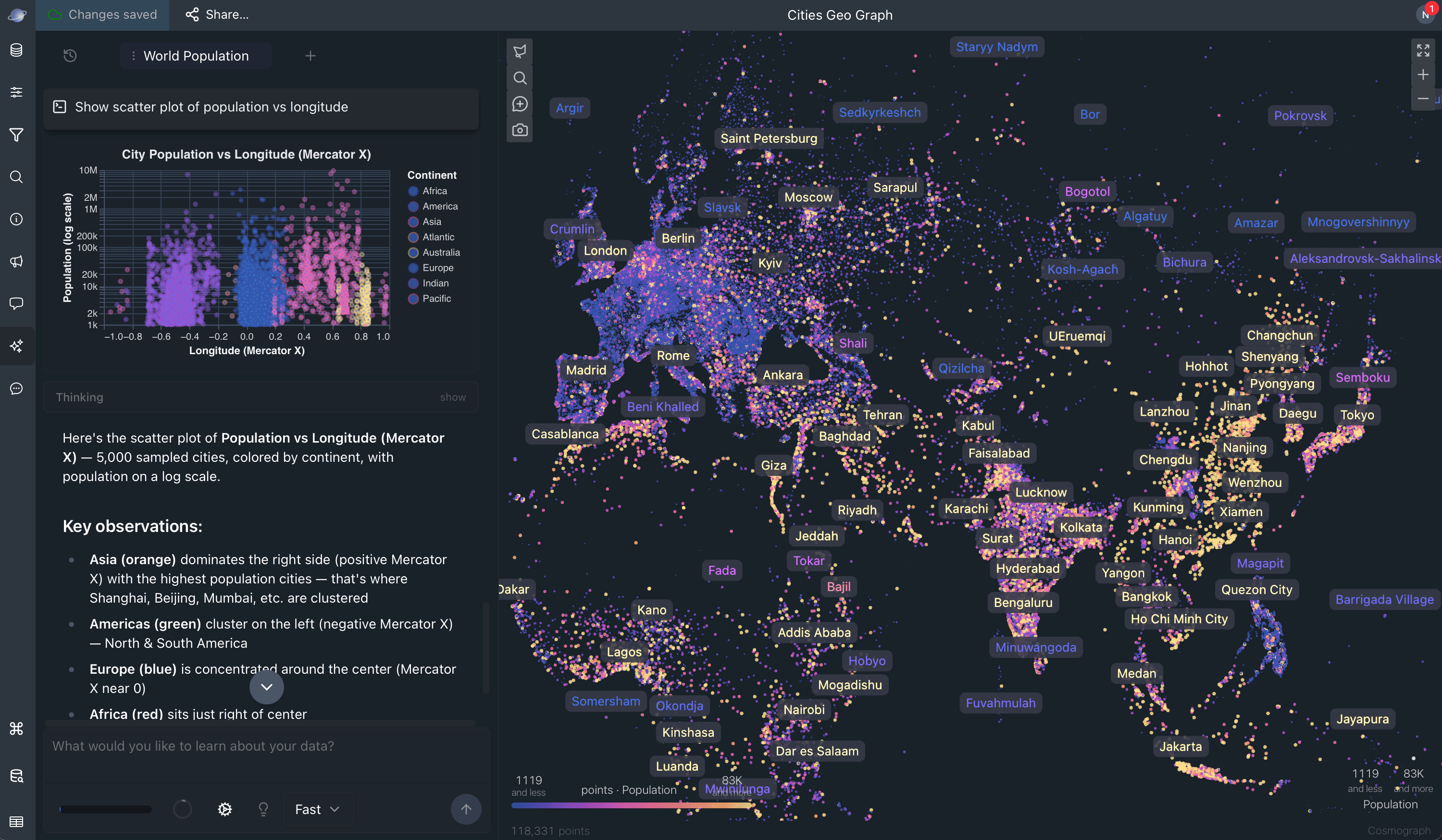
The AI Assistant is now built into the project workspace. After signing in and loading data, you can ask questions about the graph, get summaries and trends, explore data structure, generate supporting charts, and select matching points on the graph.
- Use Fast for quick analysis or Deep for more involved reasoning and planning.
- Organize work into Assistant sessions, start from prompt suggestions, and use Summarize and Fork to continue a long investigation with a compact context.
- Use Cosmograph-managed models or, on Team, select supported providers with your own API key.
- Assistant queries run against the project’s browser-based data. The selected model receives the relevant conversation and tool results needed to respond.
The built-in Assistant is available to signed-in users with an allowance; paid plans include higher access and Team includes provider settings. See AI Assistant for details.
Project workspace improvements
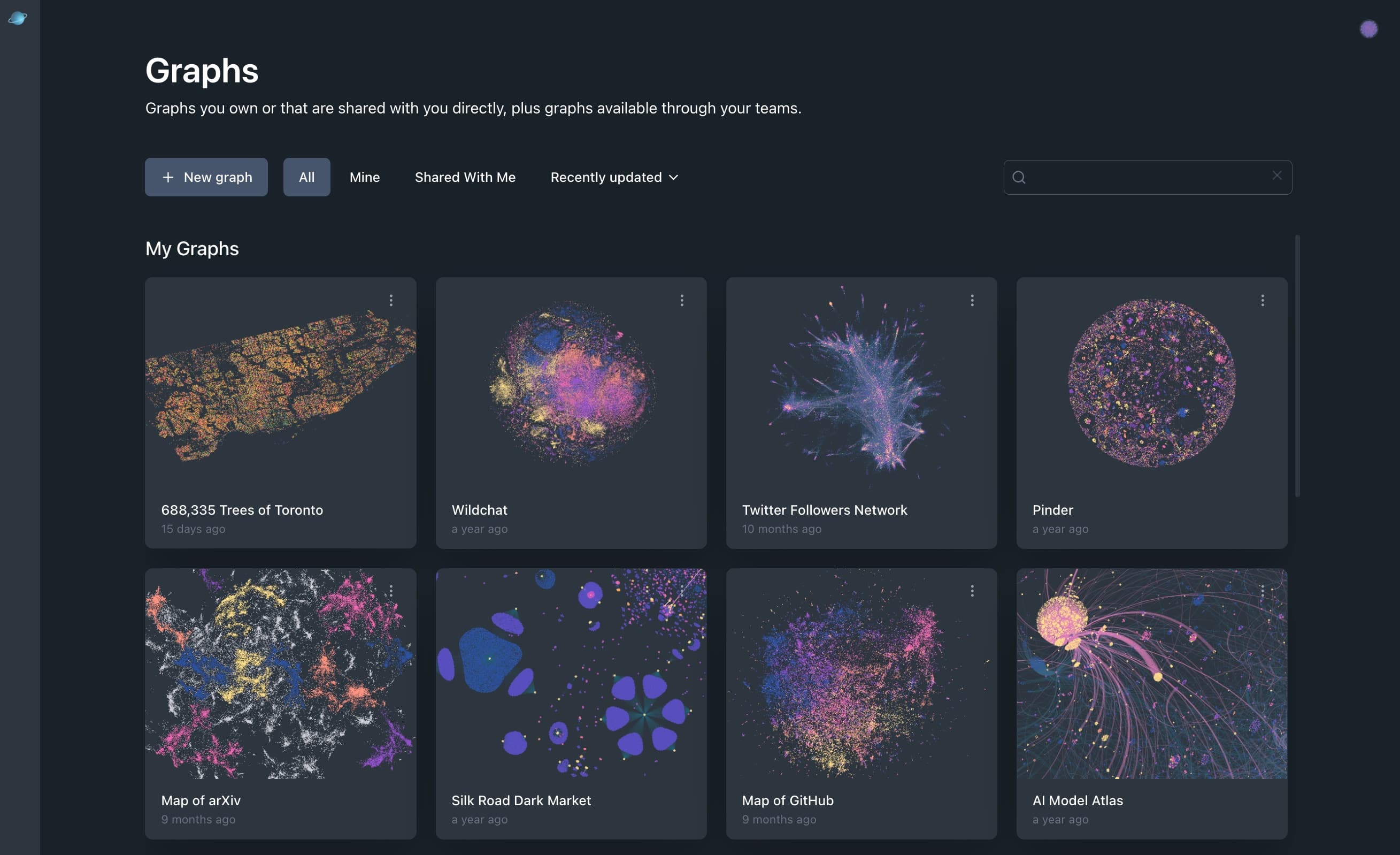
- My Graphs has separate search, clearer shared-project context, team grouping, and improved project ordering. You can capture the current graph view or upload an image for a project thumbnail.
- The public Showcase gained search and published-project polish.
- Point-size controls now support a configurable range and a simpler single-size control when appropriate. Point-label weighting better follows selected color and size fields.
- The workspace added a feedback panel, layout preset commands, expanded command-palette support, and more reliable saved panel layouts.
Apr 2026
This update adds support for point shapes and images, and focuses on bug fixes and UX improvements across the entire app.
Release highlights:
- Added support for point shapes and images in the app. Check out the new Country Borders example to see it in action.
- Improved data setup reliability and auto-detection for position columns.
- Lots of bug fixes.
Earlier releases
December 2025
- Select multiple target nodes when building a graph.
- Load
VARCHAR[]Parquet columns and filter across them. - Search across all data fields.
- See parsing errors when opening a data file.
- Use smart range limits for histograms to hide outliers.
November 2025, Cosmograph 2.0
Cosmograph 2.0 introduced the DuckDB, Mosaic, SQLRooms foundation that powers larger datasets, browser-based SQL workflows, native Parquet support, faster filtering, more forces, and cloud project saving.